
A school or college group
Which parts of the parent and student portal get used, where an admission or fee payment loses people, and which campus has gone quiet.
TraceIT · Our product
One console for infrastructure, applications, mobile crashes, user behaviour and alerting. It is built on a rule we hold everywhere in it: a screen never shows a number it did not measure. When something cannot be read, the page says so and says why, instead of showing a zero.
How it is different
Go through the product
Choose who you are, then step through the screens. The screens are the product itself; the sentence under each one says what it tells someone in your position.
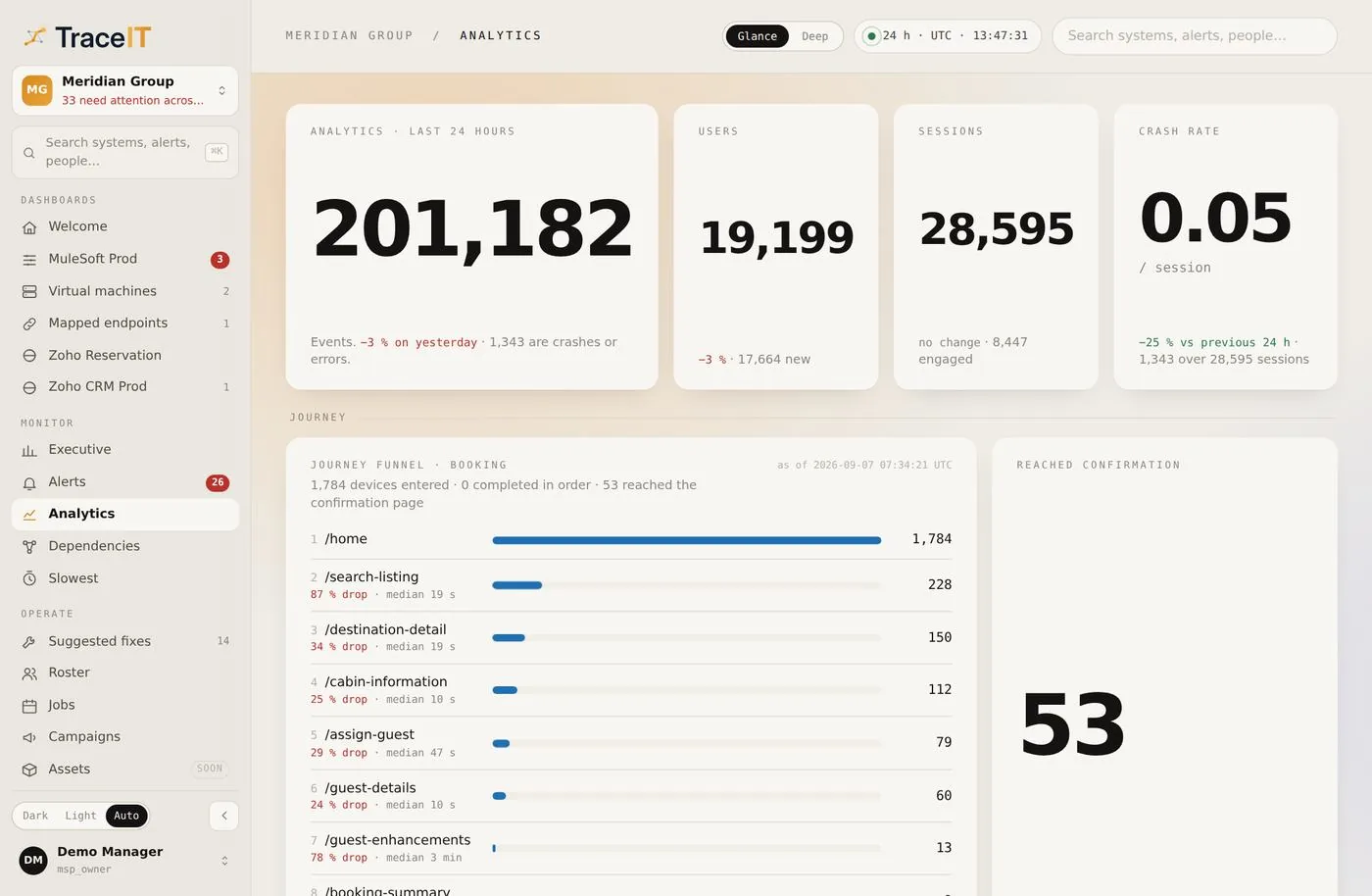
01 · Behaviour
What people actually did: sessions, journeys, and the step where they stopped — each figure traceable to the reading that produced it.
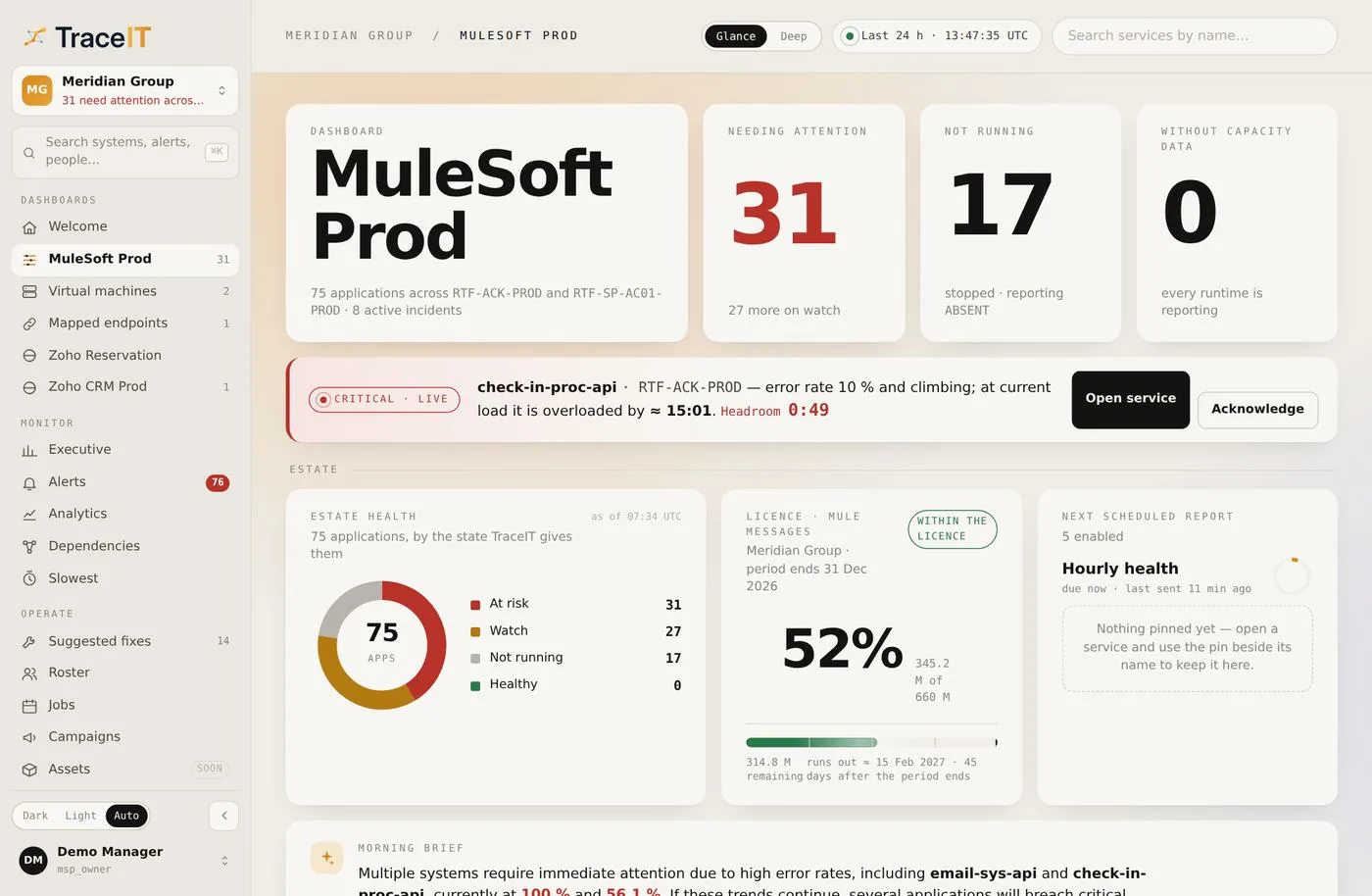
02 · One system
A single system on one page: its services, its endpoints, its licences, and what changed since you last looked.
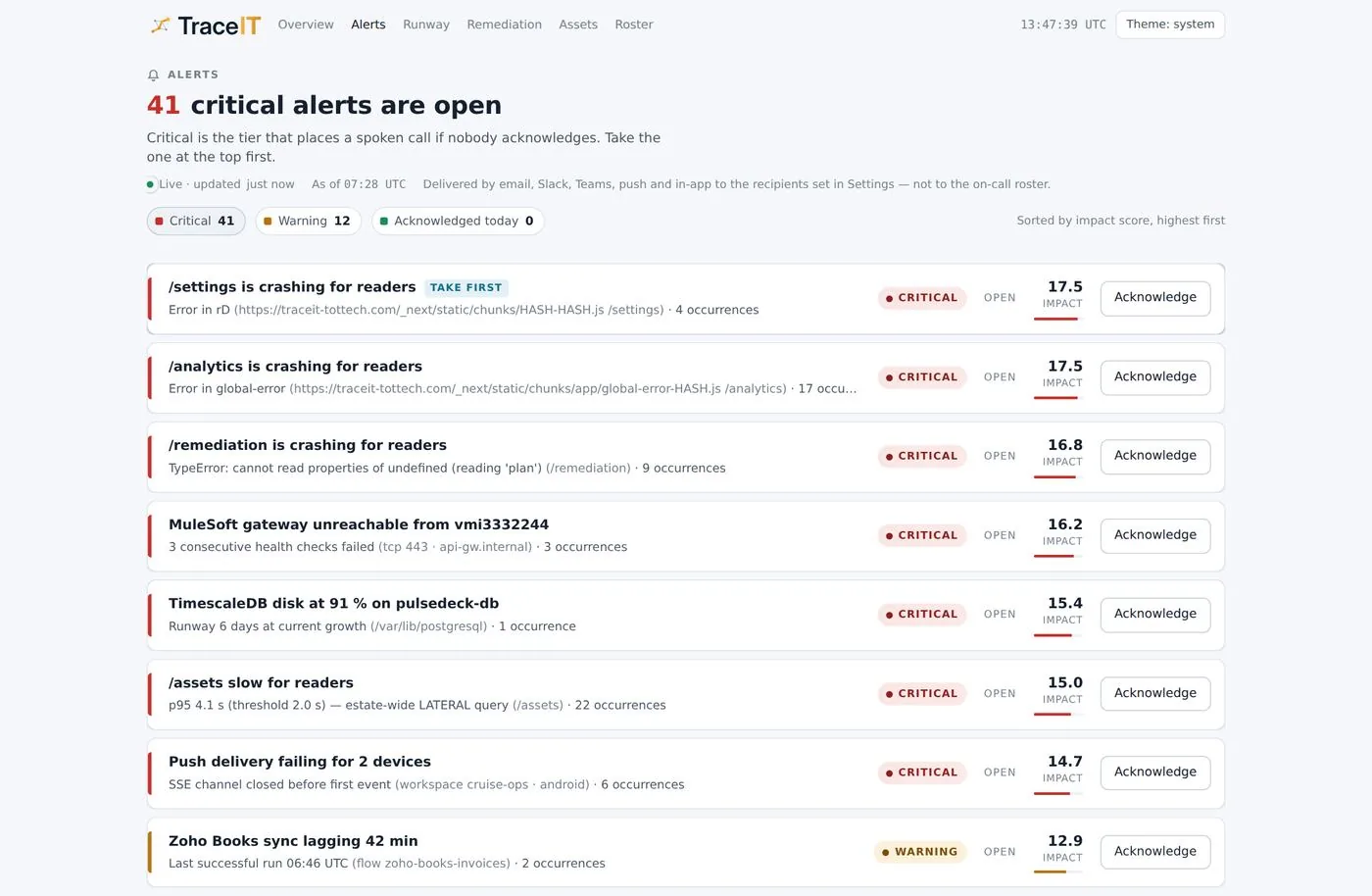
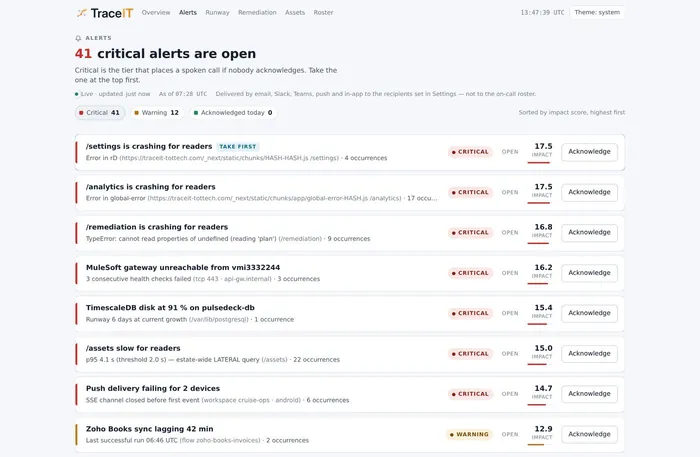
03 · Alerts
What needs attention, who was told, and whether the device they carry confirmed it.
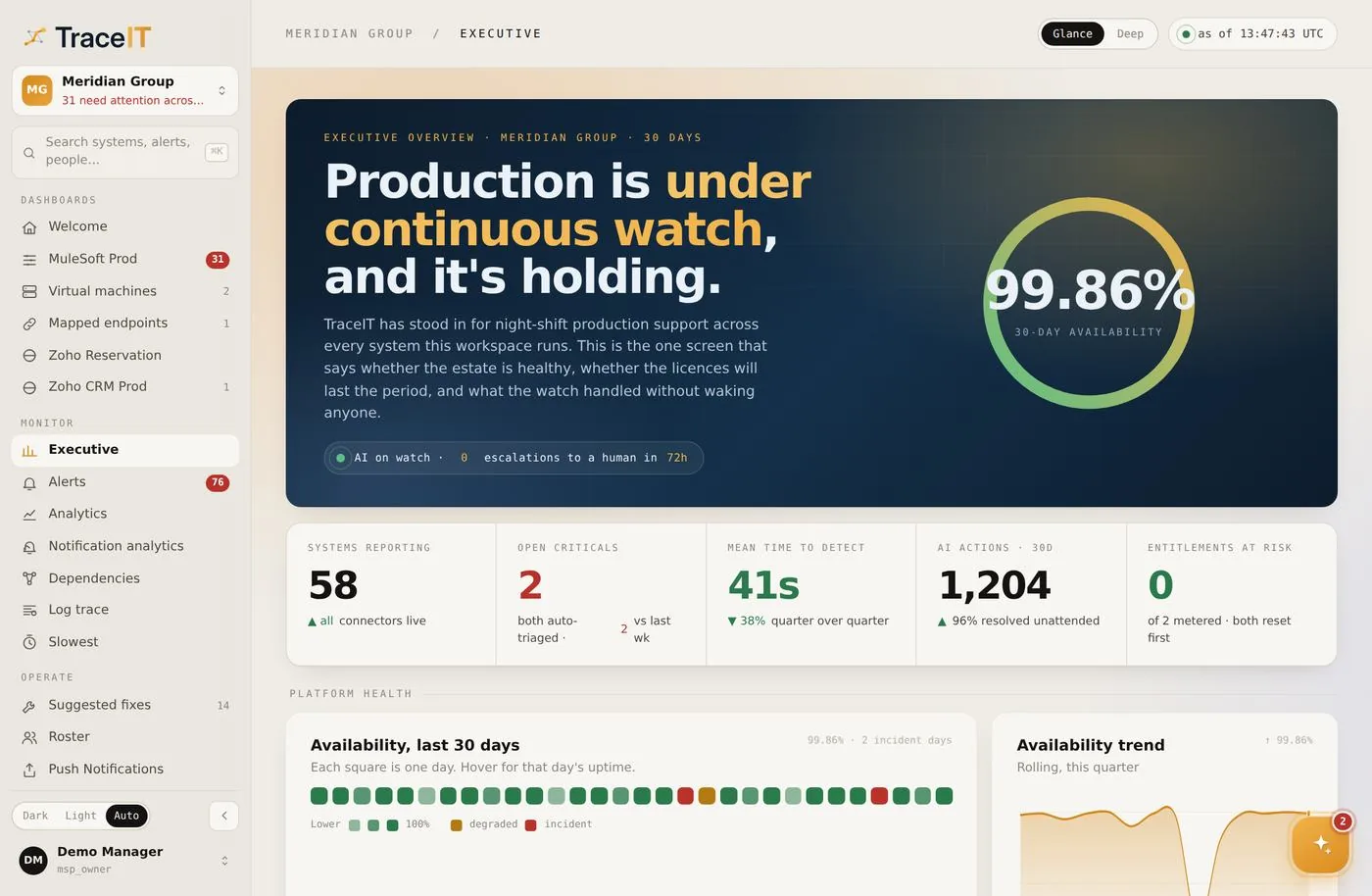
04 · Executive
The period in numbers for someone who does not open consoles — availability, incidents, and what was actually fixed.
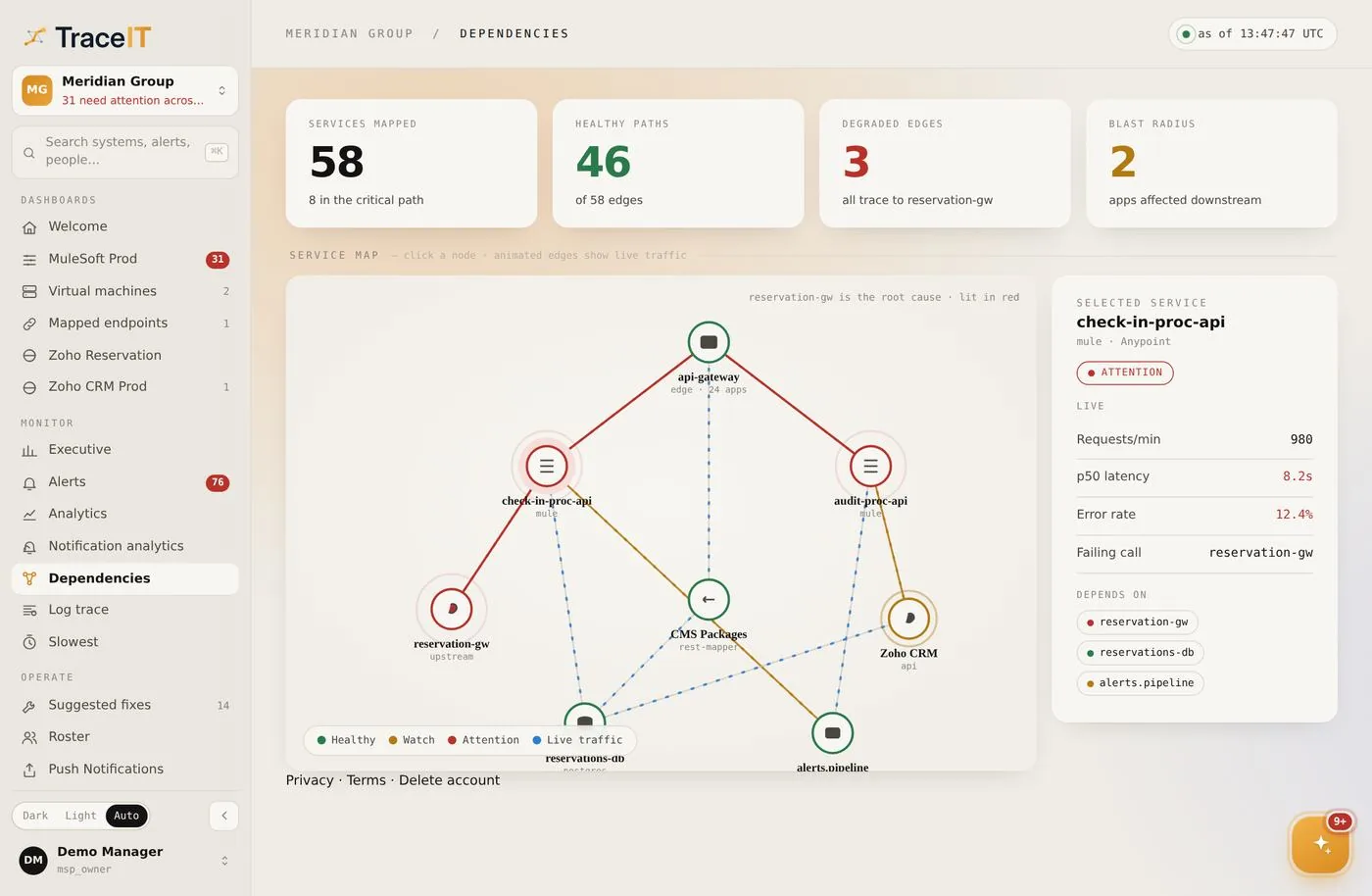
05 · Dependencies
What depends on what, so an outage has a blast radius you can see before it happens.
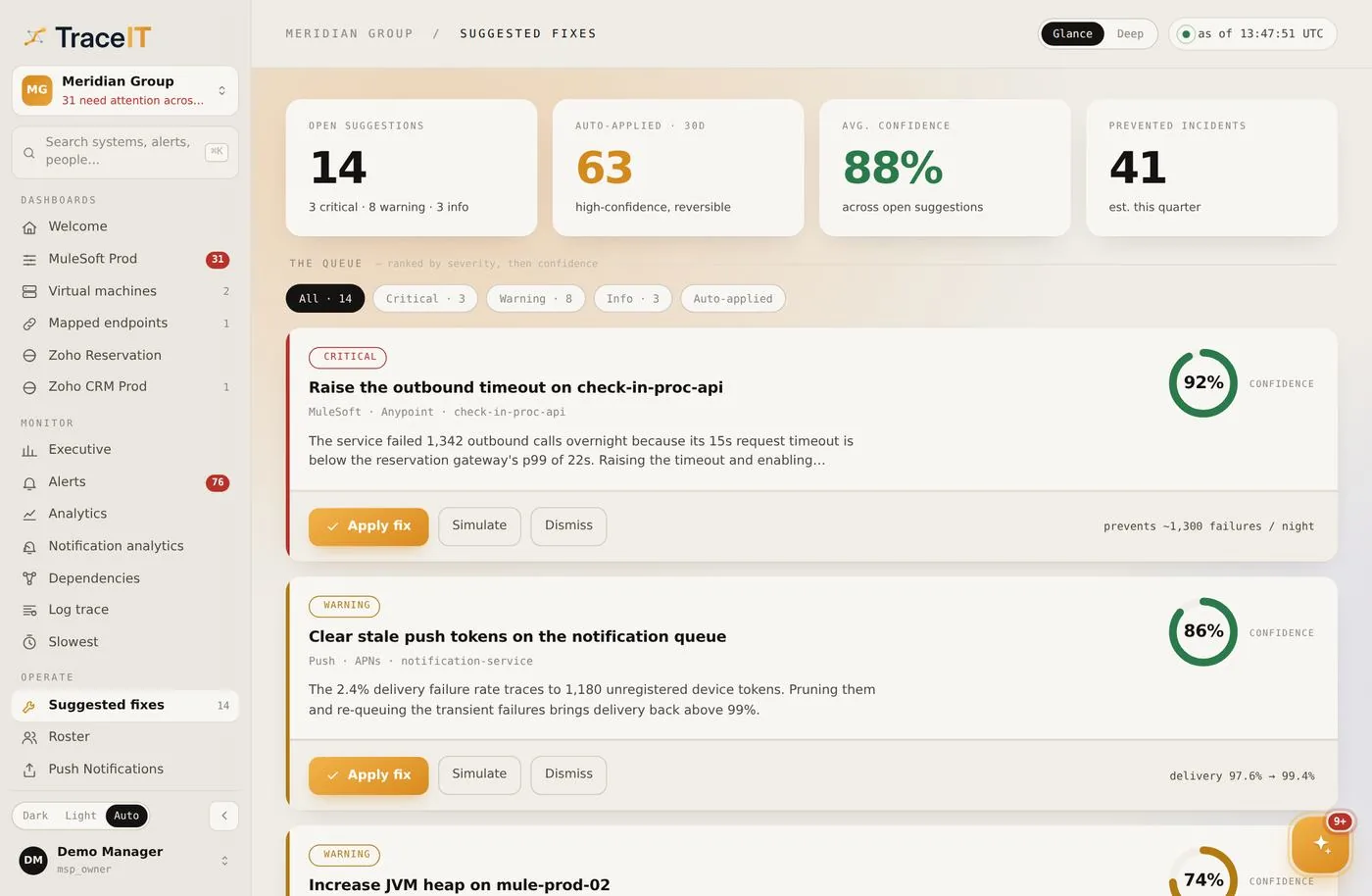
06 · Suggested fixes
The specific change that would stop this recurring, ranked, with the evidence that named it.
These are TraceIT’s own screens. The tenant, the people and the figures are a demonstration — no customer’s data appears here. The product is the same for every sector; what changes is what you read off it.
The rule
When a reading does not arrive, most screens still have to show something. A zero looks healthy. TraceIT shows the gap and the reason for it, so nobody makes a decision on a number that was never measured.
Looks healthy. None of these numbers was measured — the source stopped reporting, and the gaps were filled with zeros.
Tells you what to check. The absence is the finding: the source went quiet, and the screen says so.
Illustration. Neither panel shows real readings.
Delivered, not accepted
Most of the path an alert takes can succeed without anyone being told. TraceIT reports the step that proves it: the device that received it confirming it arrived.
Something needs attention.
Accepted by a gateway for delivery.
Not proof of anythingThe device that received it confirms it.
Reported as deliveredThe person on call confirms they have it.
What it watches
Infrastructure and the applications on it — and your own web and mobile apps: how people use them, where they crash, and whether your notifications arrived.
By sector
Which parts of the parent and student portal get used, where an admission or fee payment loses people, and which campus has gone quiet.
Where a registration or appointment journey stalls, how long a patient spends on each step, and which department’s screens are slowest.
Real traffic, real sessions, a real crash rate — and an honest empty state wherever a reading did not arrive.
Contact
Tell us what you run and who needs to know when it breaks. We will walk you through the product.